

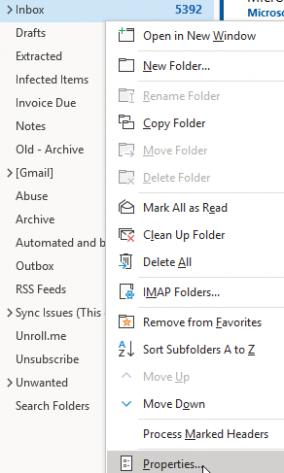
At the bottom of the menu that pops up, click properties.
 Click on the AutoArchive tab on InboxProperties.
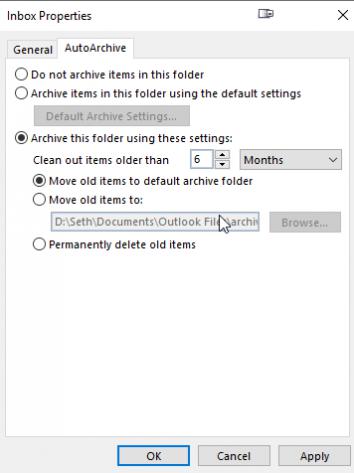 Here you will be able to archive your folder using time settings. You can choose to archive or permanently delete your email. You can choose an archive folder, a location for your archive on your local drive, or to just delete them.
You will need to set this up based on inbox folder, and may have to set it up a few times depending on how many folders you have.
Here you will be able to archive your folder using time settings. You can choose to archive or permanently delete your email. You can choose an archive folder, a location for your archive on your local drive, or to just delete them.
You will need to set this up based on inbox folder, and may have to set it up a few times depending on how many folders you have.