

Step-by-step walkthrough
1. Create the Customer
Start by creating a Customer record. This is the layer that doesn’t exist in cPanel — think of it as the container your end user’s hosting lives in.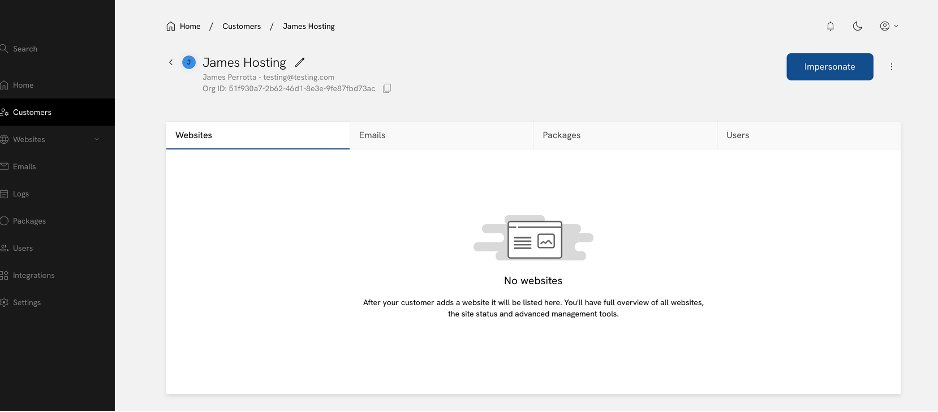
2. Check the package quota
Before creating anything, check the package you assigned to the Customer. In this example, the package allows 1 website (and 1 staging website). That’s expected, correct, and IMPORTANT— don’t increase this number. Giving the customer more than 1 website means you’re essentially giving them more than 1 hosting account.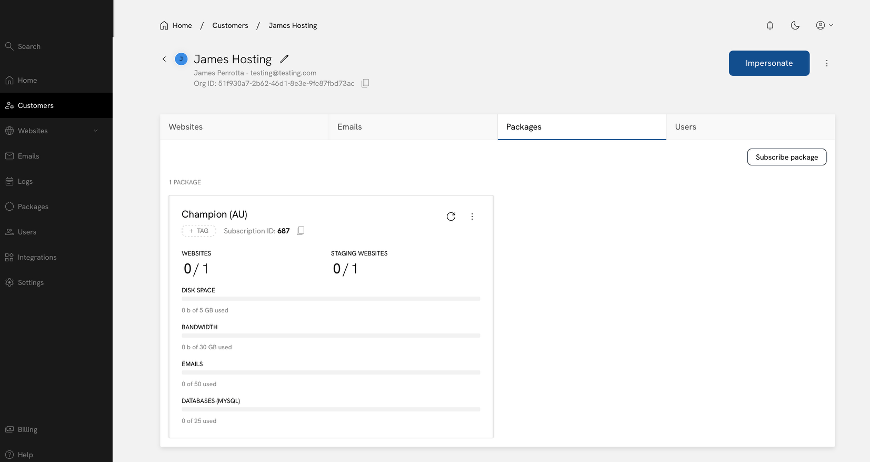
3. Impersonate the Customer and create their one website
Impersonate the Customer (this is the Enhance equivalent of logging into their cPanel account) and add their website.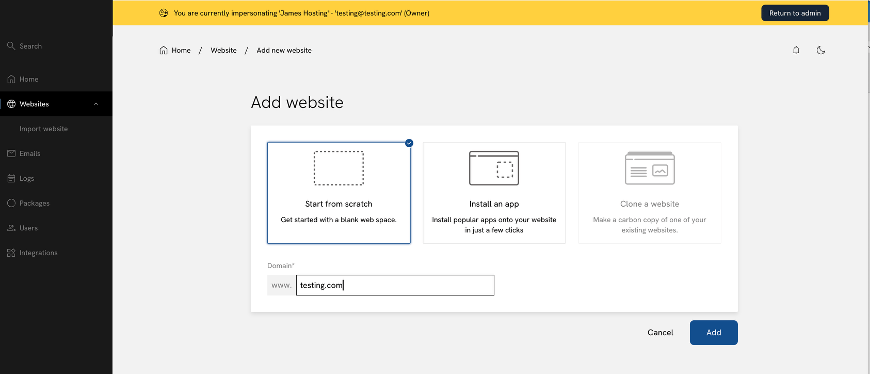
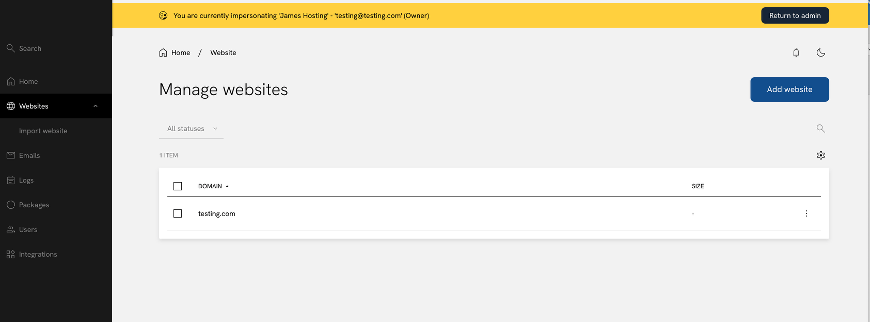
4. Go to the Domains tab of that website
This is where the “unlimited addon domains” experience lives in Enhance. Click the website you just created and then click into its Domains tab.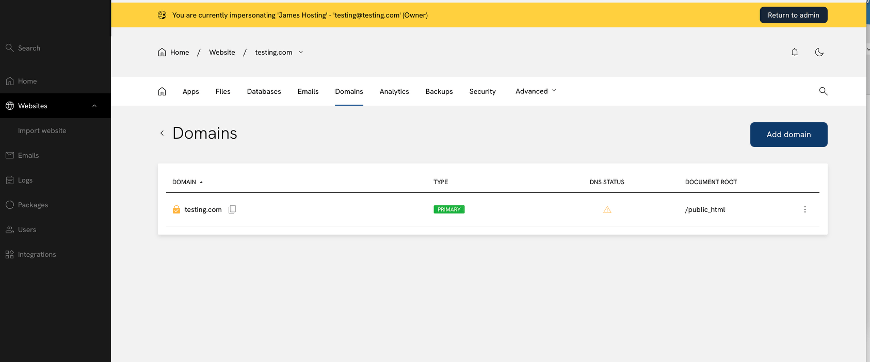
5. Add a domain
Click Add domain. You’ll see that your package allows you to create unlimited Addon domains, and each one gets its own document root — exactly like an addon domain in cPanel.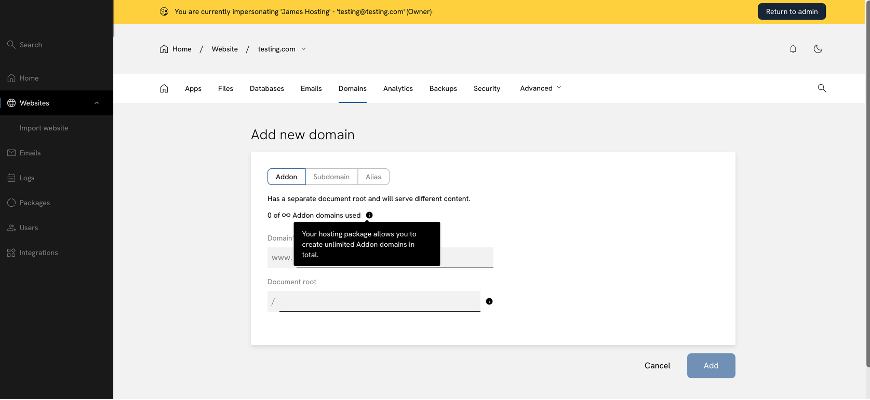
If you resell hosting to your own customers
Enhance includes master-reseller capabilities, meaning you’re able to sell reseller hosting to your own customers. This is powerful, but it’s also where most of the confusion comes from — so here’s what to know if you’re setting up packages for people below you.When you build a package for your own customer, set “Number of websites” to 1.
If your customer currently runs 10 sites, your first instinct is to give them a package with a 10-website quota. Don’t. On a cPanel reseller plan, those 10 sites were never 10 separate “accounts” — they were 10 addon domains under a single account. The Enhance equivalent is the same: your customer should have 1 website, with as many domains under it as they need. If you set “Number of websites” higher than 1, you’re effectively selling your customer multiple separate hosting accounts rather than the single reseller-style account they’re expecting — and each additional website will draw down your own quota.So where does your customer get unlimited sites, then?
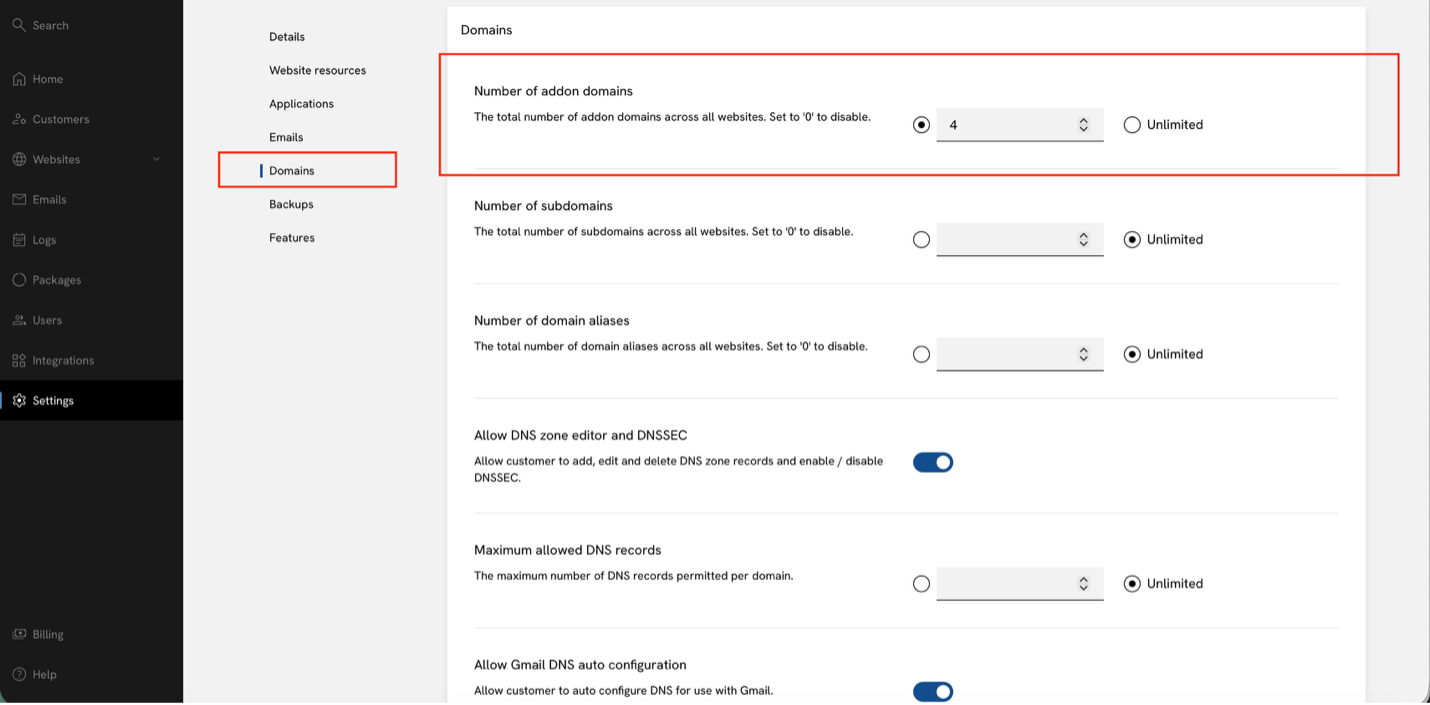
Further down the same package-creation screen, you’ll find a Domains section. This is the direct equivalent of cPanel’s addon domain limit. Set this to whatever number you’d like your customer to have (or leave it unlimited) — this is what lets them create additional domains under their one website, just as they could with addon domains on a cPanel reseller plan.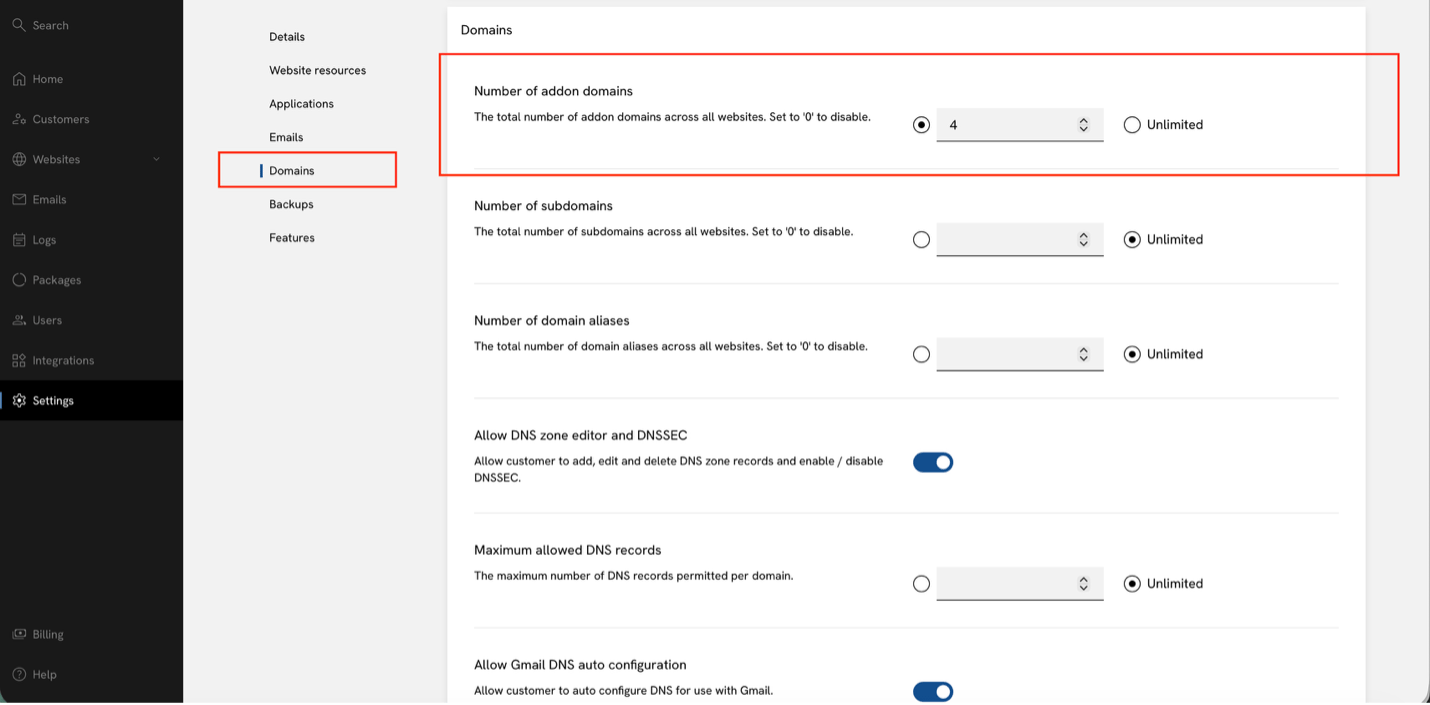
Quick recap
- Customer = the container for an end user’s hosting (doesn’t exist in cPanel)
- Website = the equivalent of a cPanel account — this should stay at 1 per customer
- Domains (added inside a website) = the equivalent of cPanel addon domains — this is where you set your unlimited (or high) number